
In a later launch: Ongoing tab in the Report view
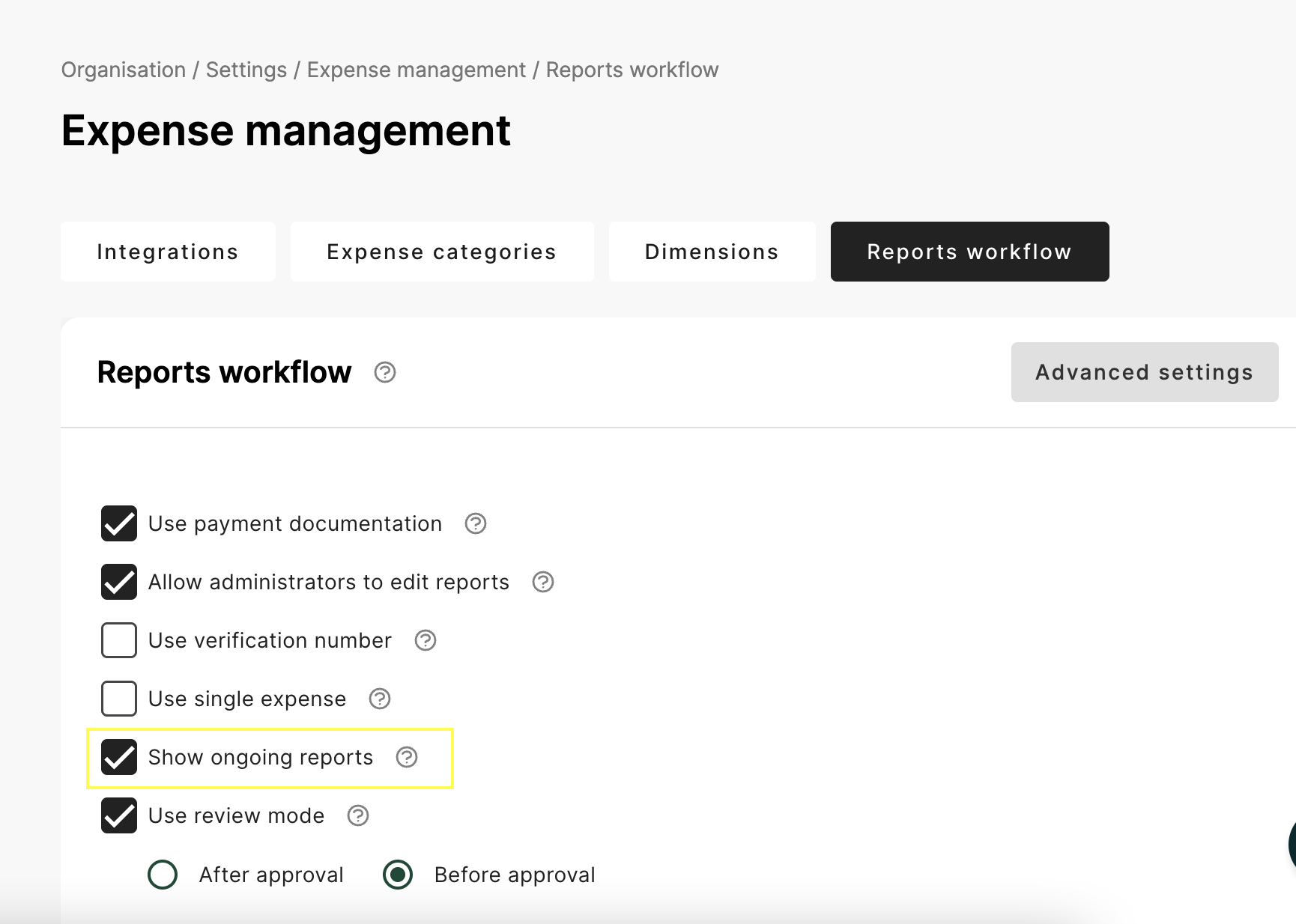
We have a new tab in the Report view called Ongoing. In this tab you can find the reports that are Ongoing by an user or Reports that are waiting for a card transaction or need some setting for the card holder.
You can activate it under Organisation / Settings / Expense Management / Report workflow and “Show ongoing reports”
This function will be launched during next year (using feature flag)
ISO20022 integration
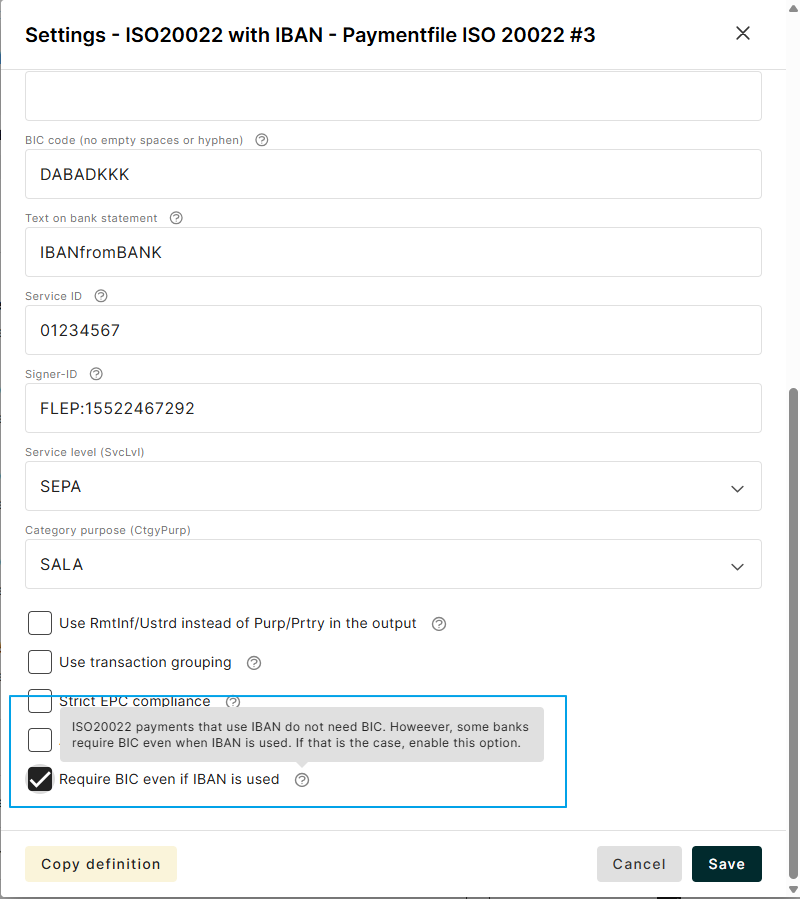
A new setting for the ISO20022 integration makes it possible to require BIC even if IBAN is used. The ISO standard does not require BIC, but some banks do.
For Admins in Norway
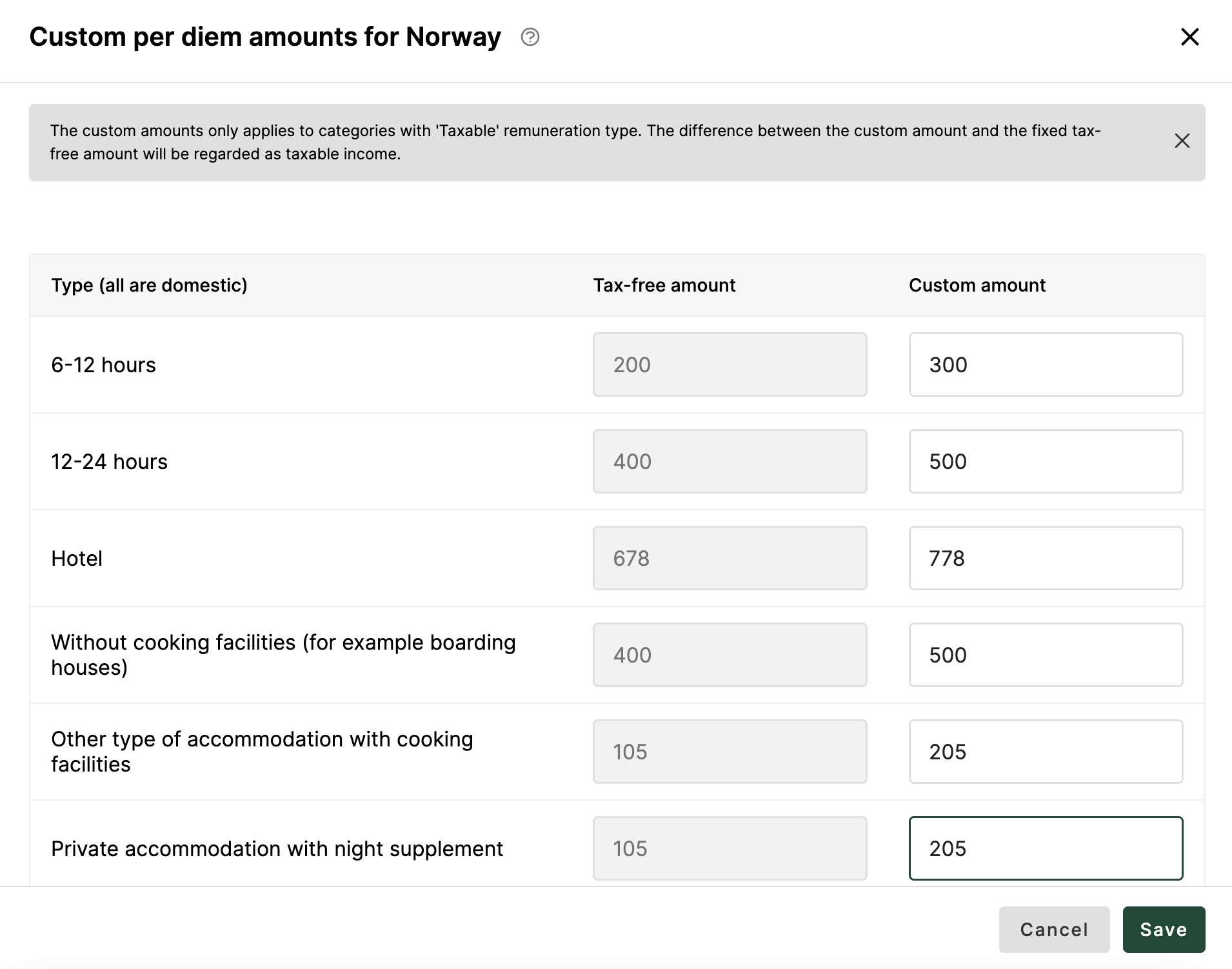
Custom amounts for Per diem can now be set for a Norwegian organisation. If you use the Renumeration type “Taxable” the custom amounts can be set under Advanced setting.
Go to Organisation / Settings / Expense management / Expense categories and Per diem.
Add a category for Domestic travel and Remuneration type “Taxable”
Click on Advanced setting and add an Individual extra per diem for Norway.
Click on Set custom amounts
Add your amounts and Save
The difference between the tax-free amount and the custom amount will be treated as taxable income.
In a later launch: Attachments for Mileage and Per diem
A frequent feature request of being able to add attachments in Mileage and Per diem is now implemented in the End User views in mobile apps and web. However, this feature can’t be used yet, and will be launch later during Q1 in combination with the admin capabilities of attachments.